DICOM headers and AI routing
Last week Herman Oosterwijk published a piece called DICOM Headers: a Necessary Evil to Deploy AI. If you run AI anywhere near a PACS, read it. He walks through what a header dump looks like, how tags and value representations work, and why private tags can hide information an algorithm needs.
One line from it describes the problem I see every week: many of the attributes that decide whether a study is a candidate for an AI algorithm are "encoded as text strings."
This post is the practical follow-up from the Indian side. What breaks, why it breaks here in particular, and what a centre can do about it without a large IT team. (If headers and tags are new to you, start with our guide to what DICOM is; it explains the envelope-and-letter structure of a DICOM file.)
What "routing" actually depends on
When a study arrives at the archive, something has to decide where it goes next. Which radiologist's worklist. Which hanging protocol. And, increasingly, which AI algorithm, if any.
That decision is almost always made from the DICOM header. The fields that usually matter:
| Attribute | Tag | What it is meant to say |
|---|---|---|
| Modality | (0008,0060) | CT, MR, CR, DX, PT and so on |
| Body Part Examined | (0018,0015) | A coded term such as CHEST or ABDOMEN |
| Study Description | (0008,1030) | Free text describing the exam |
| Series Description | (0008,103E) | Free text describing each series |
| Protocol Name | (0018,1030) | The protocol selected on the scanner |
| Manufacturer / Model | (0008,0070) / (0008,1090) | Who made the scanner |
| Station Name | (0008,1010) | Which machine sent it |
| Image Type | (0008,0008) | ORIGINAL or DERIVED, PRIMARY or SECONDARY, and more |
Modality is reliable. The scanner knows what it is. Almost everything else on that list is either free text or filled in by a person at the console, and that is where routing falls apart. To make it concrete, here is the kind of thing a header dump shows for a plain CT KUB on a busy evening (an illustrative example, trimmed to the routing fields):
(0008,0060) CS  Modality            CT
(0018,0015) CS  BodyPartExamined    <empty>
(0008,1030) LO  StudyDescription    NCCT KUB
(0008,103E) LO  SeriesDescription   Kub 1.0
(0018,1030) LO  ProtocolName        Abdomen Routine
(0008,0008) CS  ImageType           ORIGINAL\PRIMARY\AXIAL
(0018,0050) DS  SliceThickness      1
A rule written for "Body Part = ABDOMEN" never fires on this study. A rule written for "Study Description equals CT KUB" also misses it. Only the protocol name hints at the anatomy, and on another scanner the same exam might say something else entirely. The same unreliable fields drive hanging protocols, which is why a study that confuses the AI router often opens in the wrong layout too.
Why it is worse in Indian centres
None of this is unique to India. But a few things about how imaging is run here make it sharper.
Mixed fleets. Many chains run CTs from more than one vendor, an older refurbished scanner at one branch, and CR and DR systems bought at different times. Each one names things its own way.
Default protocols that never get renamed. The engineer installs the scanner, the factory protocol names stay, and nobody touches them again. One CT calls a plain chest "Thorax Routine". Another says "CHEST PLAIN". A third, set up by a technologist in a hurry, says "HRCT".
Body Part Examined left at the default. On many CR and DR systems, the technologist picks a body part on the console. On a busy evening shift, the previous selection stays. So a knee X-ray goes out tagged as CHEST, and a chest X-ray AI dutifully runs on it.
Descriptions edited at the console. Some technologists type the referring doctor's request into the study description. Some type the patient's complaint. Some type nothing.
Abbreviations and spelling. "CT KUB", "KUB CT", "CT-KUB PLAIN", "NCCT KUB", "Kub". All the same exam. A string match on any one of them misses the rest.
Herman has a story in his article about a routing table that contained "Smith" while the header value was "Smith" plus a padding space, because a toolkit failed to strip it. The study never reached the right physician after hours. That kind of bug is small, silly and very real. I have seen versions of it with trailing spaces, mixed case and odd separators in series descriptions.
How routing breaks
There are two failure modes, and they cost you differently.
The AI never sees the study. The rule says "send CT with Body Part = CHEST to the lung nodule algorithm". The study arrives with Body Part blank and a series description of "Thorax 1.0". Nothing matches. No error is raised. The algorithm simply does not run, and nobody notices until someone asks why the AI flagged so few cases this month.
The AI sees the wrong thing. The rule matches, but the wrong series goes. The scout, the dose report screenshot, a sagittal reformat, a 5 mm thick series instead of the thin one. The algorithm either fails, or it produces a result on data it was never validated for. That second case is the dangerous one, because the output looks normal.
Both are silent, which is what makes header problems so expensive. They do not crash anything; they quietly lower the value of every AI tool you have paid for. And even when the right study reaches the right algorithm, the result still has to come back in a form the viewer and report can use, which is a separate problem we covered in the AI results checklist.
A practical way to fix it
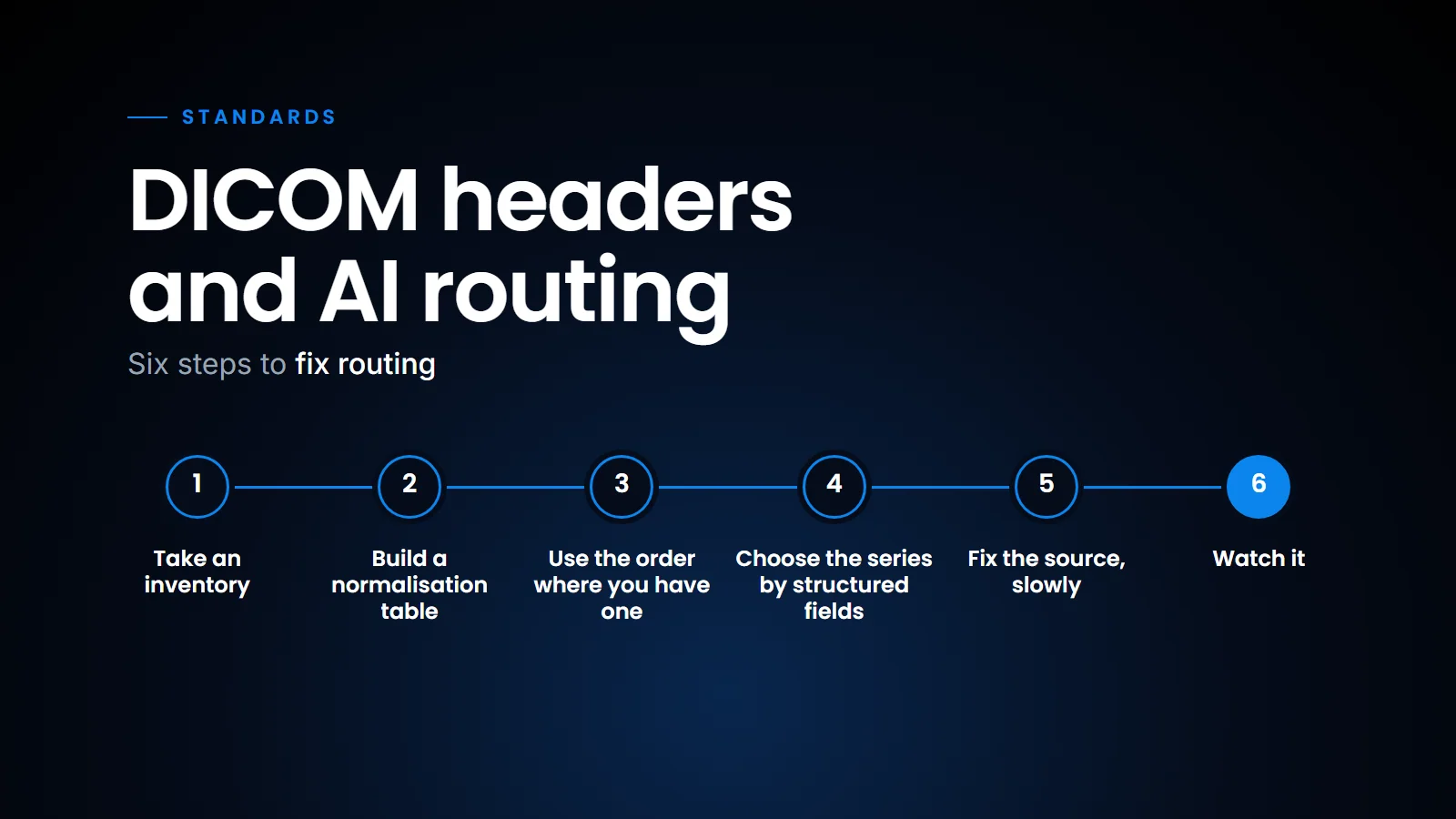
You do not need a big project. You need a list, a table and a habit. The approach I recommend has six steps.
- Take an inventory. Pull the headers from a week or two of studies, from every modality at every centre. Most DICOM toolkits can dump headers in bulk. Put the distinct values of Station Name, Study Description, Series Description, Protocol Name and Body Part Examined into a spreadsheet. The first time you do this, it is usually a surprise. A centre that thinks it does "about twenty kinds of CT" will often find many more distinct descriptions.
- Build a normalisation table. For each raw value, map it to one canonical exam. Keep it boring and explicit (see the example below). Before matching, clean the value: trim spaces, convert to upper case, collapse repeated separators. Key the table on station as well as text, because the same words can mean different things on different machines. Your routing rules then use the canonical exam, never the raw text. When a new value appears, it goes into an "unmapped" queue for someone to classify, instead of silently falling through.
- Use the order where you have one. The most reliable description of an exam is usually the order in the RIS, not the text on the scanner. If your RIS sends a modality worklist, the procedure code and Requested Procedure Description travel with the study. Route on those first, and use the header text as a fallback.
- Choose the series with structured fields. Once you know the exam, pick the right series using fields that are not free text. Image Type tells you whether a series is ORIGINAL or DERIVED. Slice Thickness (0018,0050) and the number of images separate thin from thick. Convolution Kernel (0018,1210) on CT separates lung from soft tissue reconstructions, although kernel names are specific to each manufacturer and need their own small mapping table (Convolution Kernel Group, where the scanner fills it, is more general). These are far more dependable than a series description.
- Fix the source, slowly. Agree a naming convention for protocols across your fleet and ask your application specialist to apply it at the next service visit. Train technologists on the two or three fields that matter, Body Part in particular. You will not fix every scanner in a month, but each one you fix removes rows from your table.
- Watch it. Log every routing decision. Once a week, look at three numbers: studies that matched no rule, studies sent to each algorithm, and AI results that failed or were rejected. A sudden change usually means a scanner was upgraded, a protocol was renamed, or a new branch came online.
From messy headers to a routing decision.
A normalisation table for step 2 can be as simple as this:
| Station | Raw series or study description | Canonical exam |
|---|---|---|
| CT_BRANCH1 | Thorax Routine | CT Chest Plain |
| CT_BRANCH2 | CHEST PLAIN | CT Chest Plain |
| CT_BRANCH2 | HRCT | CT Chest HRCT |
| CT_BRANCH3 | NCCT KUB | CT KUB Plain |
| CT_BRANCH3 | Kub | CT KUB Plain |
On step 3, this is one of the quiet advantages of having RIS and PACS on one system. On our platform the order is created at registration and scheduling, alongside billing, by the same system that stores the images, so the order information is already sitting next to the study and does not have to be reconstructed from whatever the technologist typed. It also matters more as a chain grows, because every new branch brings its own scanners and naming habits (we wrote recently about running a diagnostic chain on one system).
What this means for a centre
If you are buying an AI tool, ask the vendor how it decides which studies to process, and what happens when the header does not match. "We read the series description" is not an answer. Ask how they handle your specific scanners.
If you already run AI, do the inventory. It takes a few hours and will tell you more about how well your AI is working than any accuracy number on a brochure. And when you add a scanner or a centre, treat header mapping as part of go-live, not something to sort out later. In short, DICOM headers will stay messy for as long as people type into them, so the reliable approach is to route on the order where you can, normalise what you cannot, and watch the unmatched queue every week.
Related reading
- DICOM explained — headers, tags and the modality worklist.
- Hanging protocols, explained — the other thing inconsistent headers quietly break.
- The AI results checklist (IHE AIR) — what happens after the algorithm runs.
- DICOM SEG or RTSTRUCT — choosing a format for AI segmentation output.
FAQ
Why does AI routing depend on DICOM headers?
Because the archive has to decide which studies to send to which algorithm before anyone looks at the images. That decision is made from header attributes such as Modality, Body Part Examined, Study Description, Series Description and Protocol Name.
Which DICOM fields are least reliable for routing?
Free-text fields like Study Description, Series Description and Protocol Name vary widely between scanners and users. Body Part Examined is a coded field but is often left at a default on the console. Modality is usually reliable.
What is DICOM header normalisation?
It is mapping the many raw values a fleet of scanners produces (for example "NCCT KUB", "CT-KUB PLAIN" and "Kub") to one canonical exam name, so that routing rules can match reliably. It is usually done with a lookup table keyed on station and cleaned text, plus a queue for unmapped values.
Should I fix headers on the scanner or in the archive?
Both. Normalise in the archive or routing layer so that routing works today, and gradually standardise protocol names and technologist practice on the scanners so that fewer values need mapping.
Ready to see your workflow on one platform?
We will walk you through the whole workflow, from registration to signed report.